Biometric Portal Setup
Biometric Portal Setup
To configure Odoo domain use the following cams admin portal link: https://camsbiometrics.com.
Login with provided credentials from Cams team.
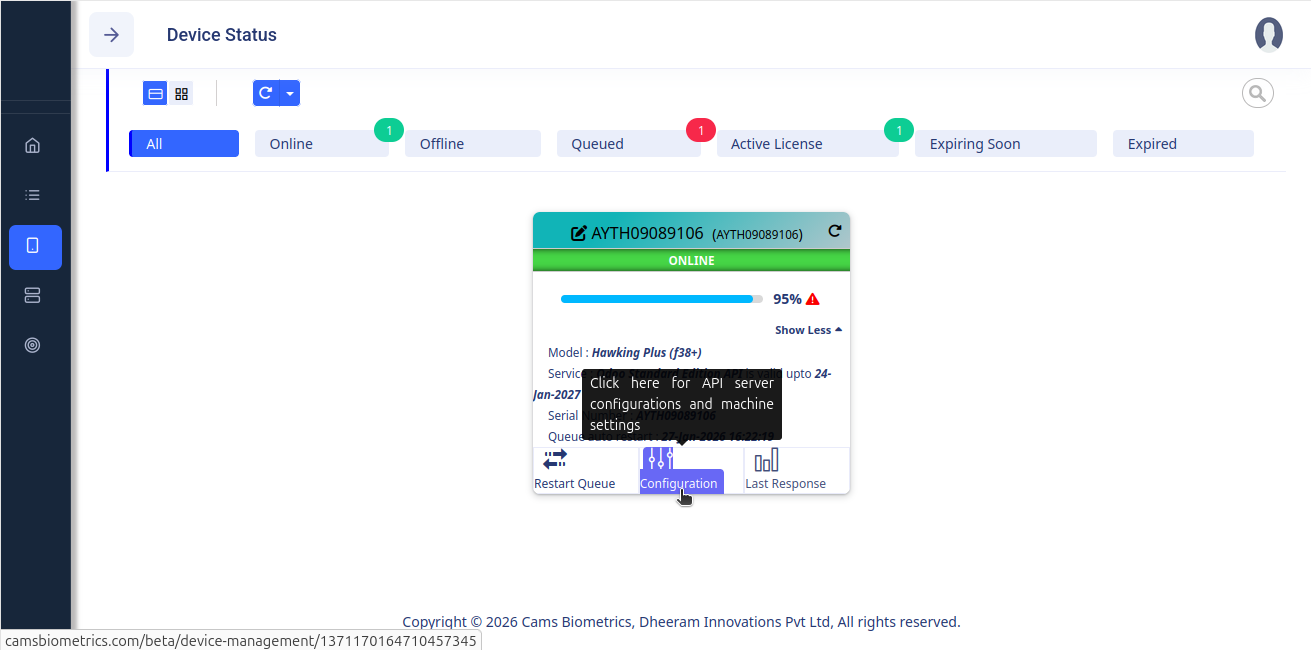
Go to: Device Management –> Device Status
In the small window, click on the Configuration as shown below:
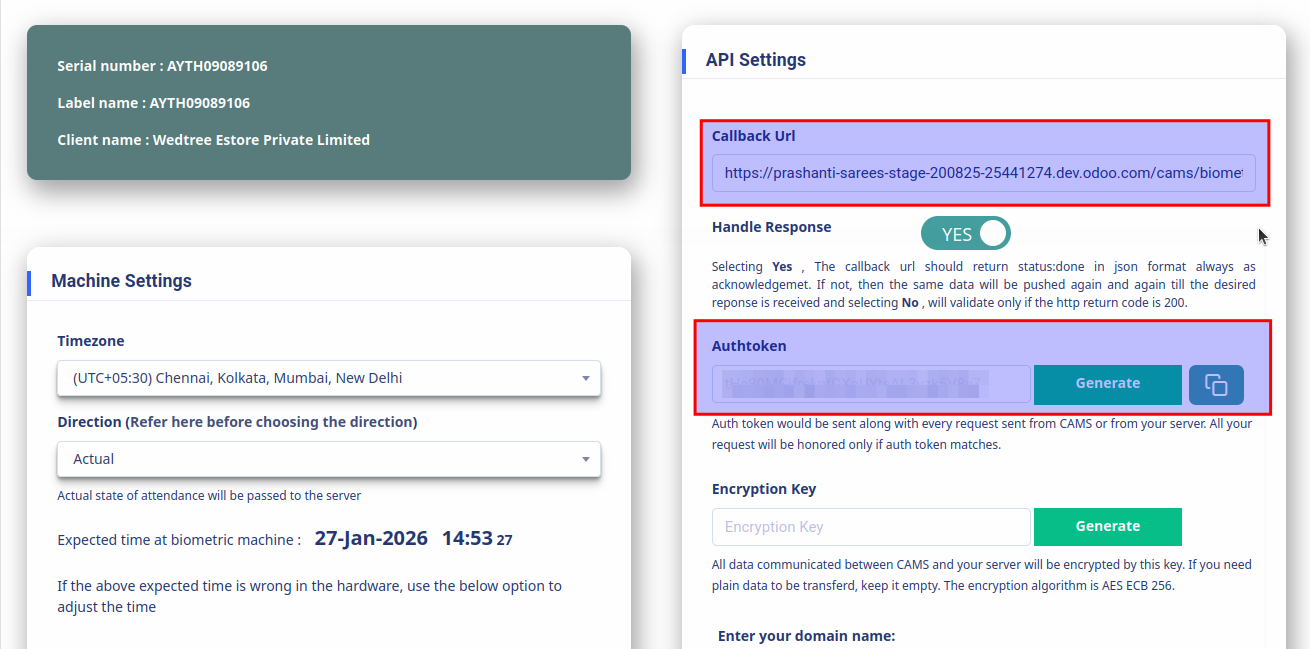
It directs to an another window, enter the Odoo domain in the Callback Url and generate the Auth token as shown below:
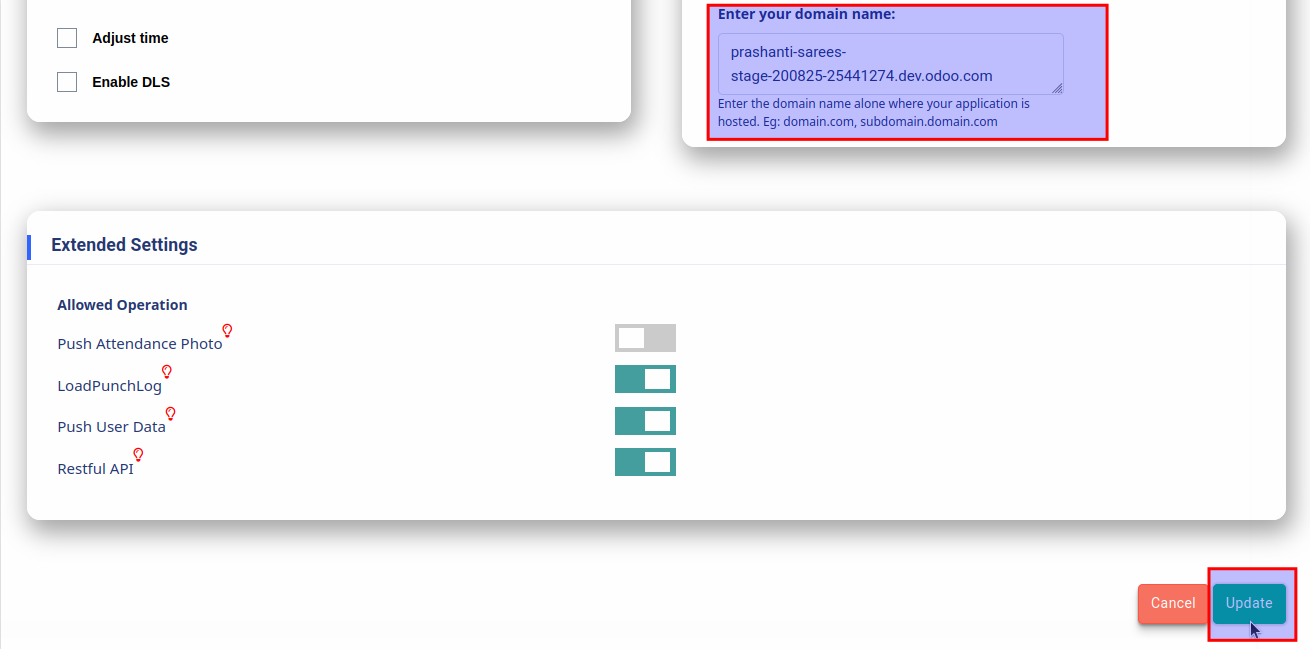
Scroll down to Enter your domain name: section, enter the domain, and then click the Update button to update the configuration, as shown below.