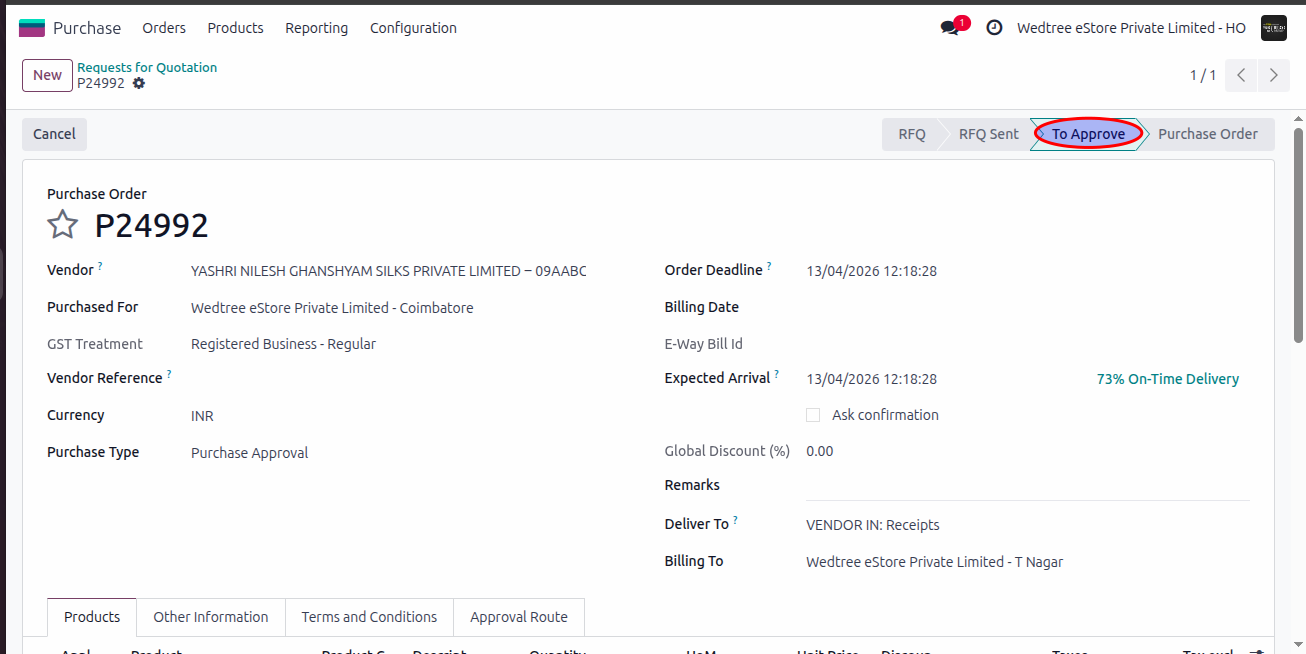
Requests For Quotation
About
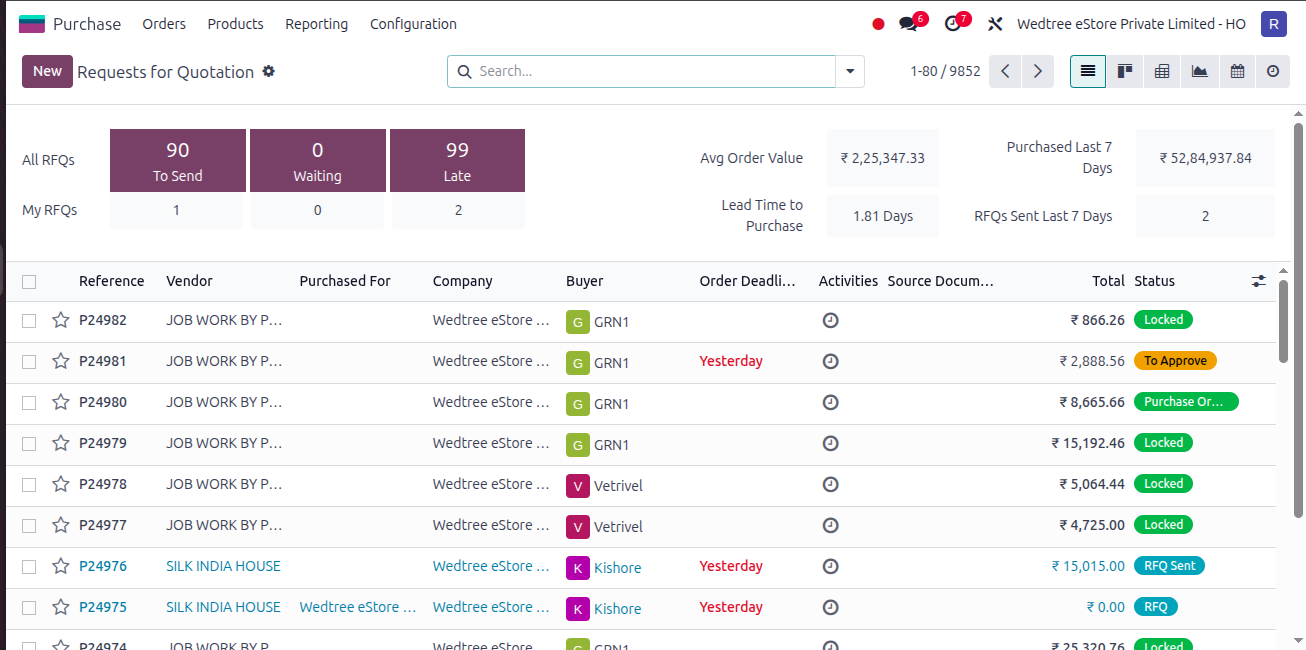
An RFQ (Request for Quotation) is a document used to request price details from vendors before confirming a purchase. It is the initial stage of a purchase order.
List View
Form View
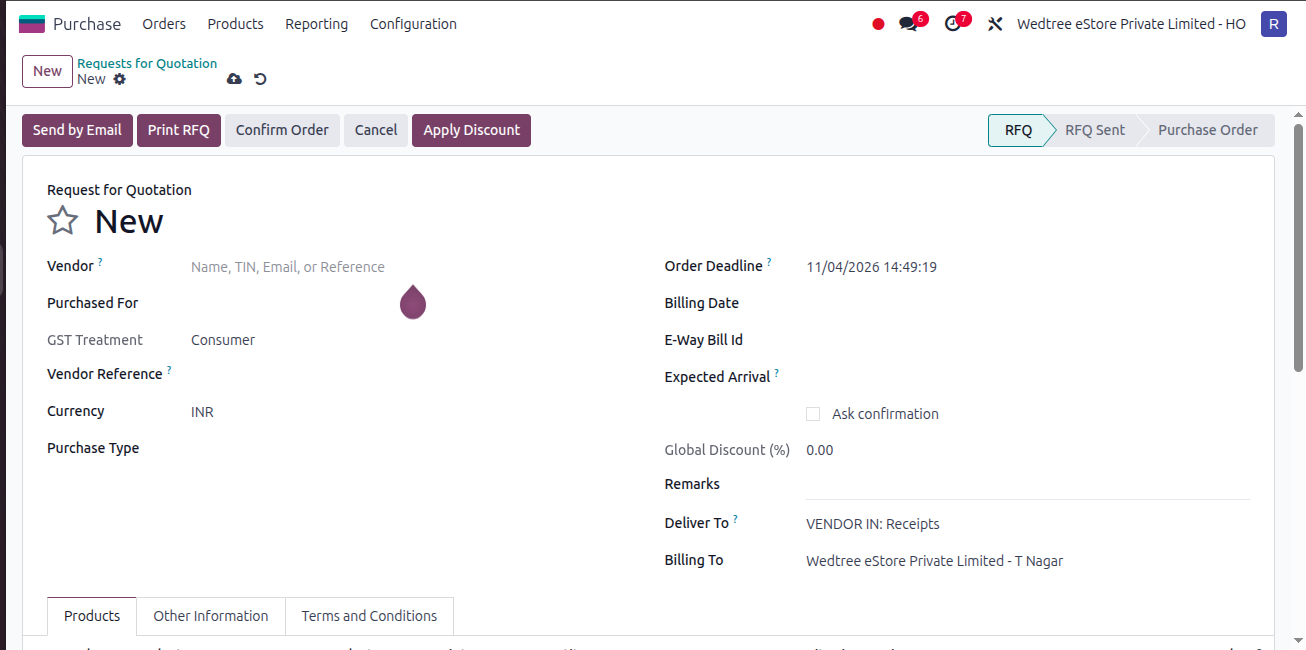
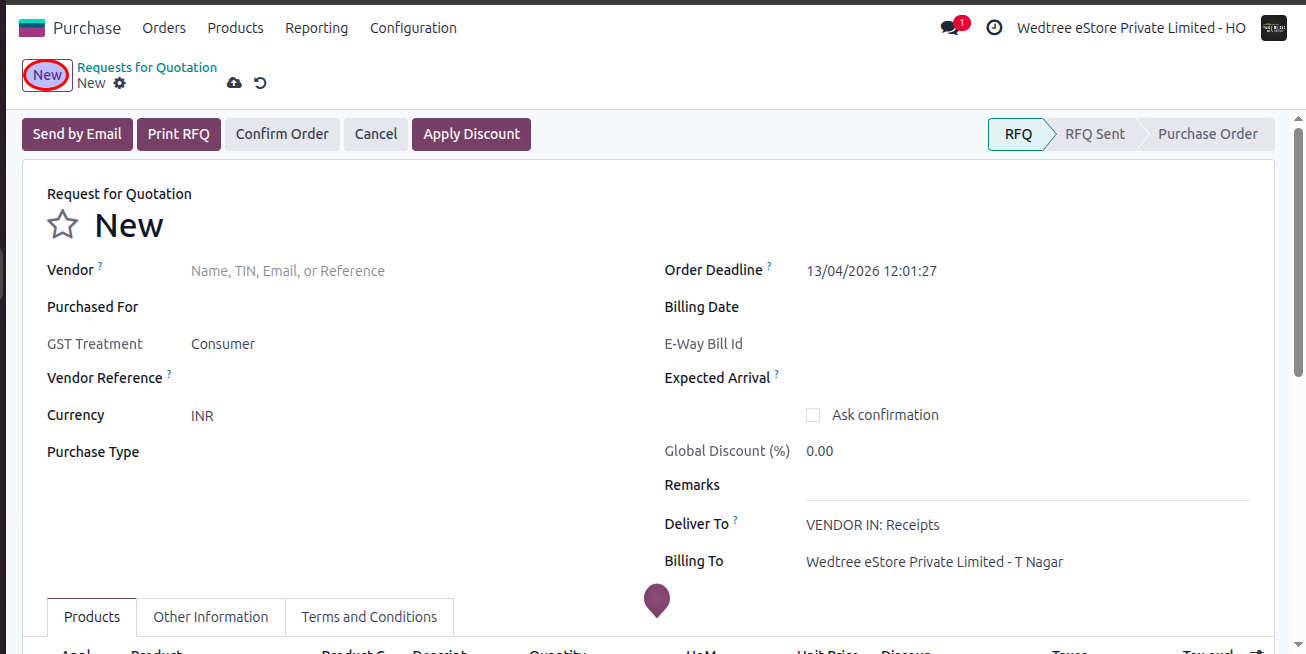
Workflow of Creating Requests For Quotation (RFQ):
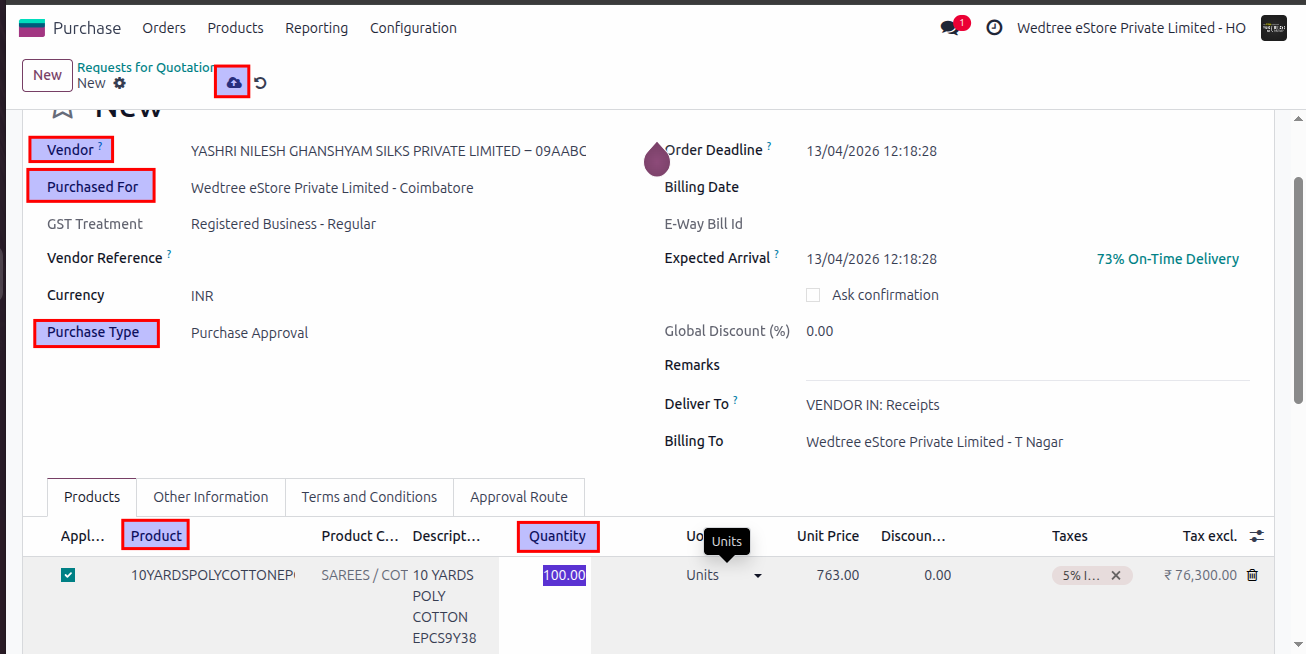
Step 1: Login with User ID and click on New button for creating new RFQ.
Step 2: Enter Vendor Name, select Purchased For which store, select Purchase Type for whom should approve the RFQ, then add Product, enter Quantity, and save. After saving, the RFQ is created.
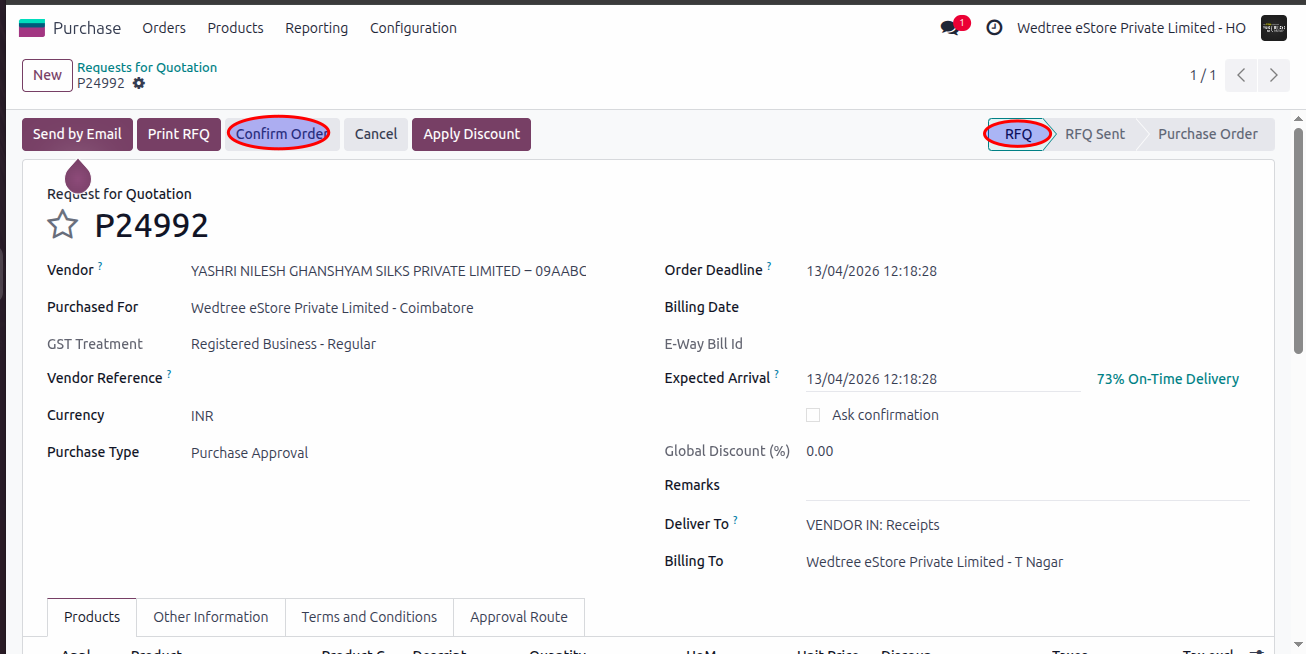
Step 3: Give Confirm, the RFQ status goes to To Approve state which should be approved by the Purchase Approver.