Products
About
The Products menu is used to create and manage all products. It allows defining product details, variants, pricing, categories and inventory settings ensuring smooth sales operations.
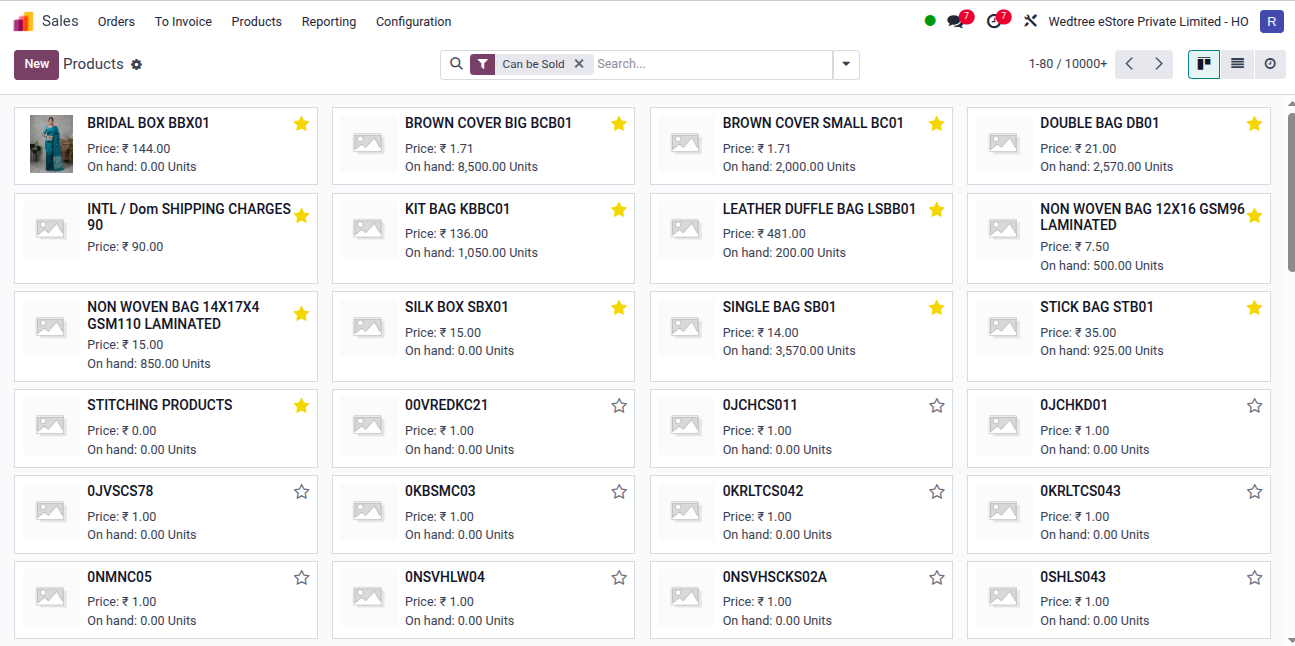
Kanban View
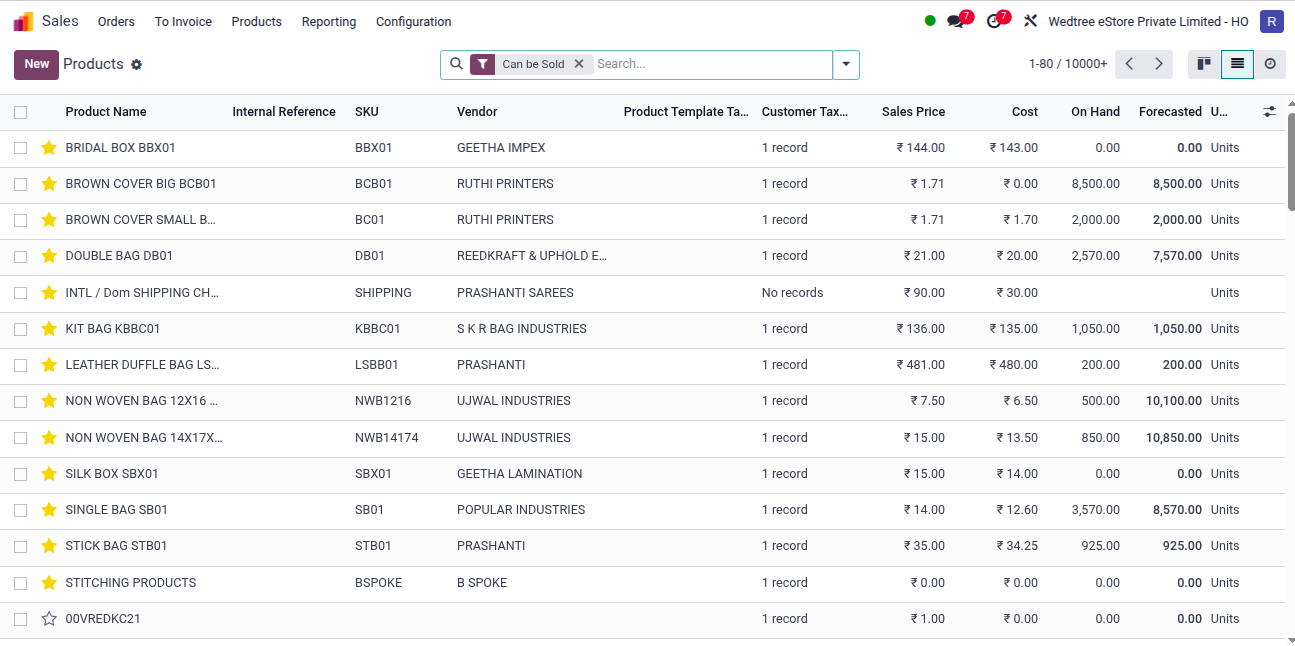
List View
Form View
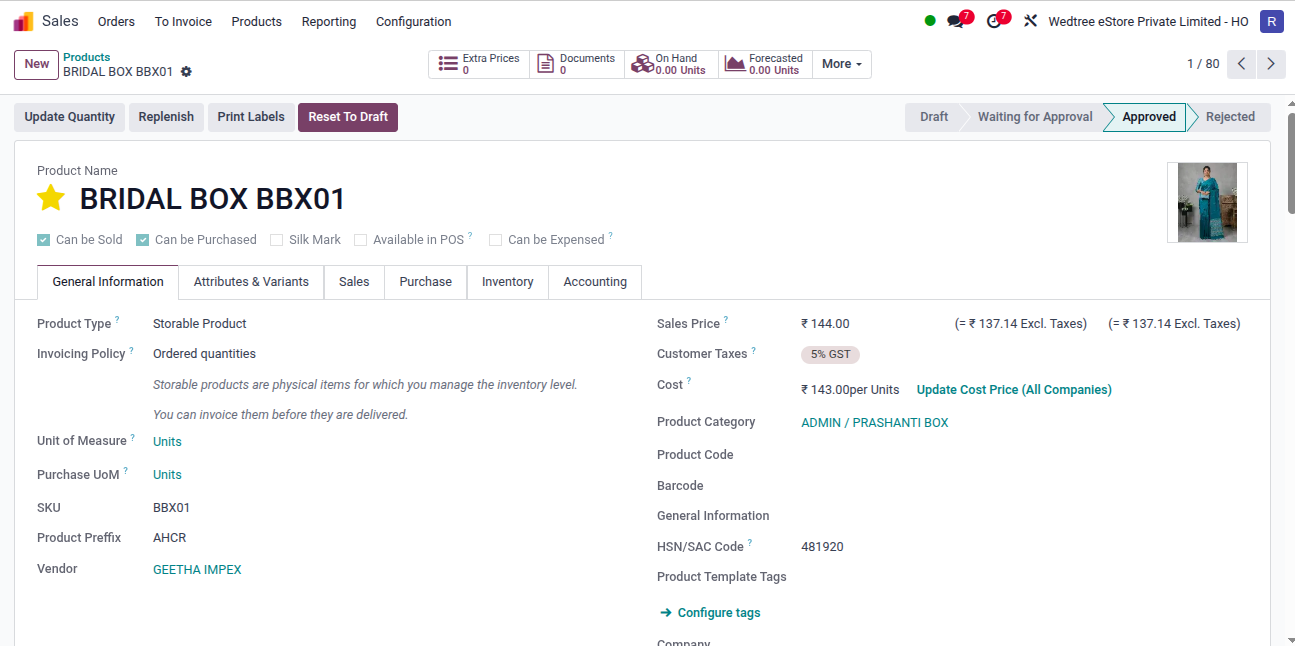
While creating the products, we should enter the following details:
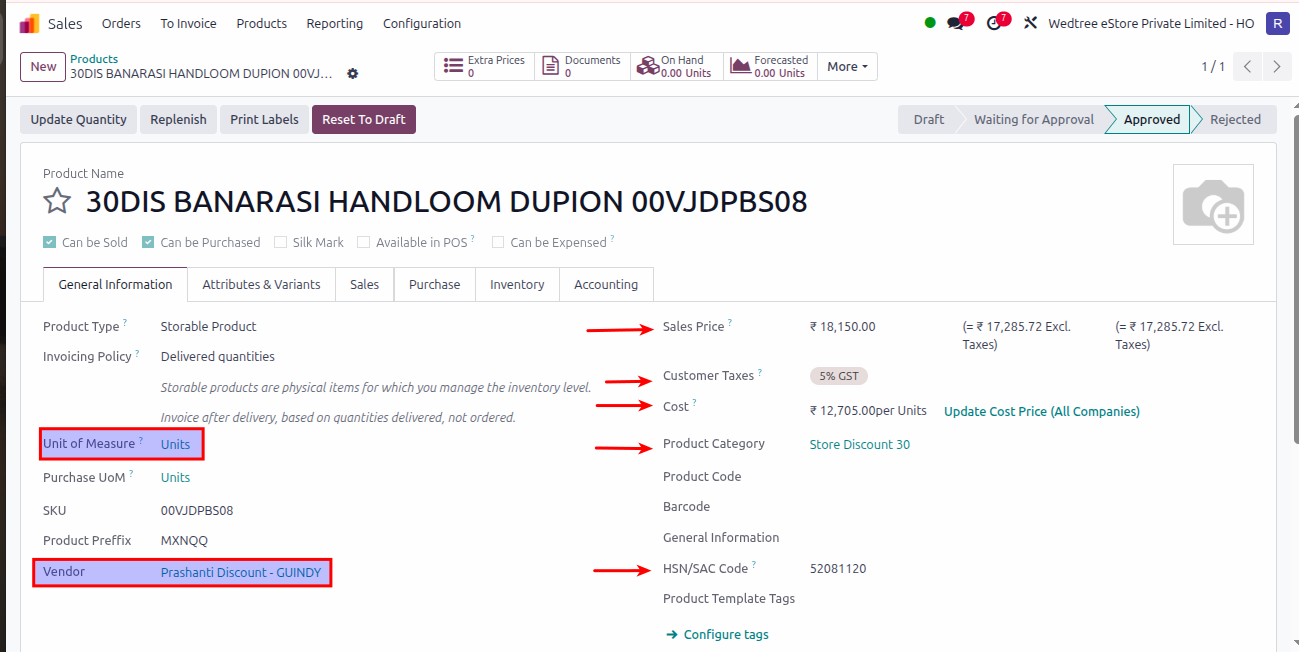
General Information details for Product:
Customer Taxes – Default taxes used when selling the Products (like 5% GST).
Sales Price – Price at which the Product is sold to customers (like ₹48,650.00 with includes GST).
Cost – The Cost price of the Product is entered here and click on that update cost price (all companies) to make this cost price visible in all Companies.
Product Category – Select the Category to which this Product belongs (like SAREES / SILK / KANJIVARAMS / 10 YARDS SILKS).
Vendor – Select the Vendor from whom we are Purchasing this Product (like VASTHRALAYA TEX).
Units of Measure – Default Unit of Measure used for all stock operations (like Units).
HSN/SAC Code – A required tax code for the Product(like 52081120).
Product Prefix - The product prefix is an alphanumeric code consisting of: The first 5 characters must be alphabetic (A–Z) Followed by numeric digits (0–9).
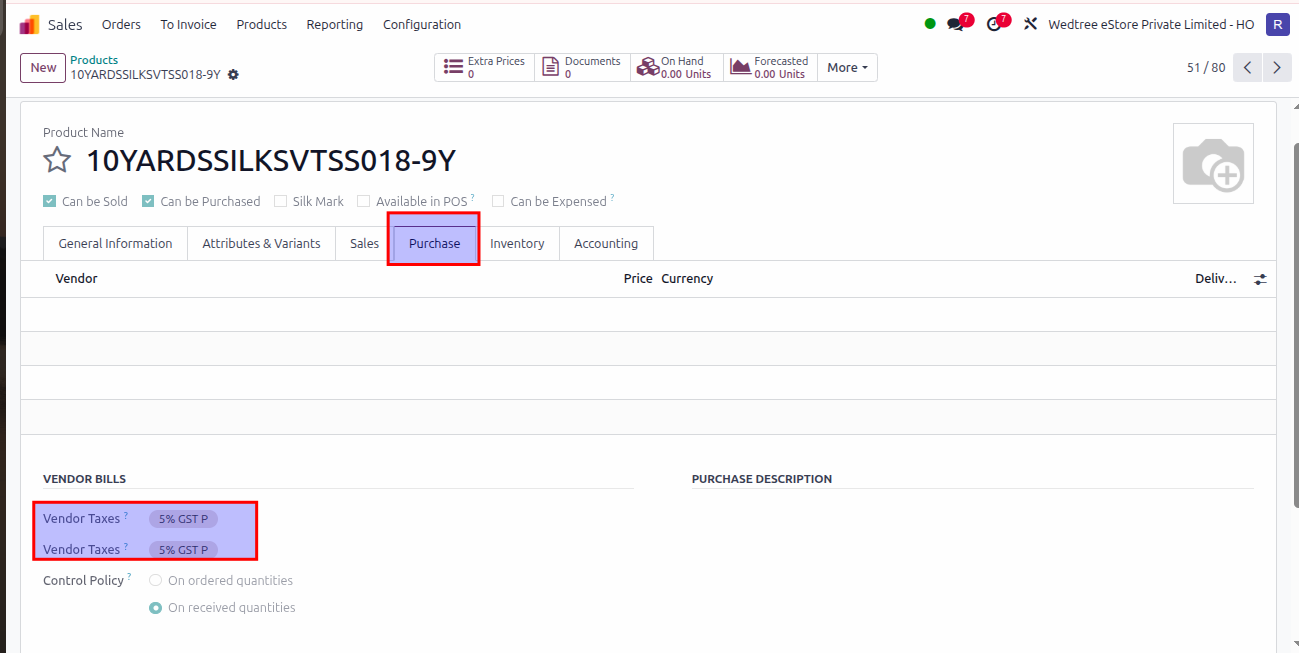
Go to Purchase in Product:
Here, we can enter the Vendor Taxes.