Settings
About
Settings control how accounting operations behave for a company. These settings are grouped into sections such as taxes, invoicing, payments, journals, fiscal localization, and reporting.
Menu Path
To access the menu, go to
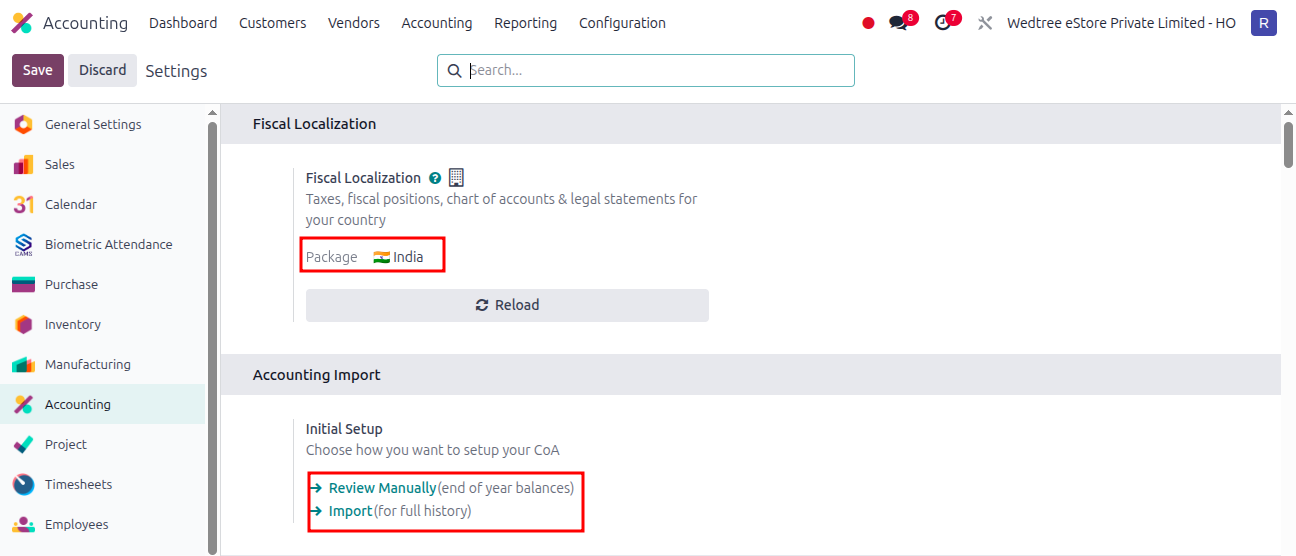
For Fiscal Localization, Package India is shown.
For Accounting Import Review Manually and Import is enabled.
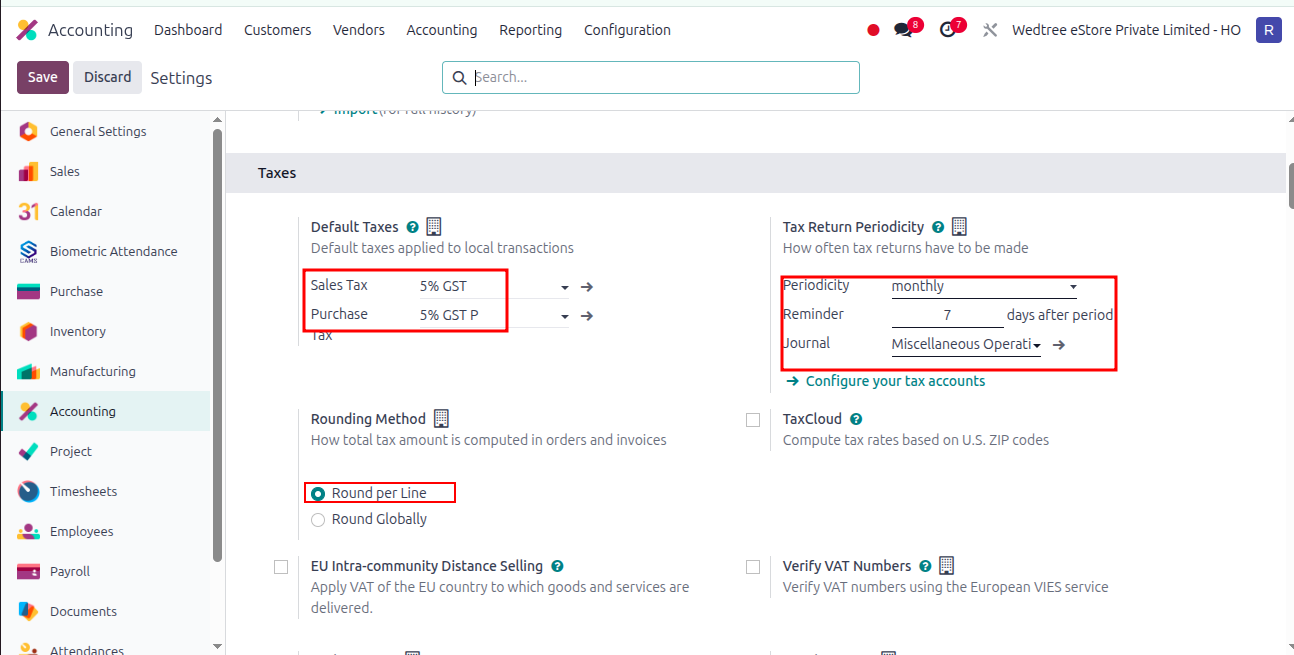
For Taxes, Default Taxes 5% GST for Sales and Purchase is selected.
Tax Return Periodicity is selected Monthly, Reminder 7 days after period, and for Journal drop down menus are available to select.
Rounding Method for tax is Round Per Line enabled.
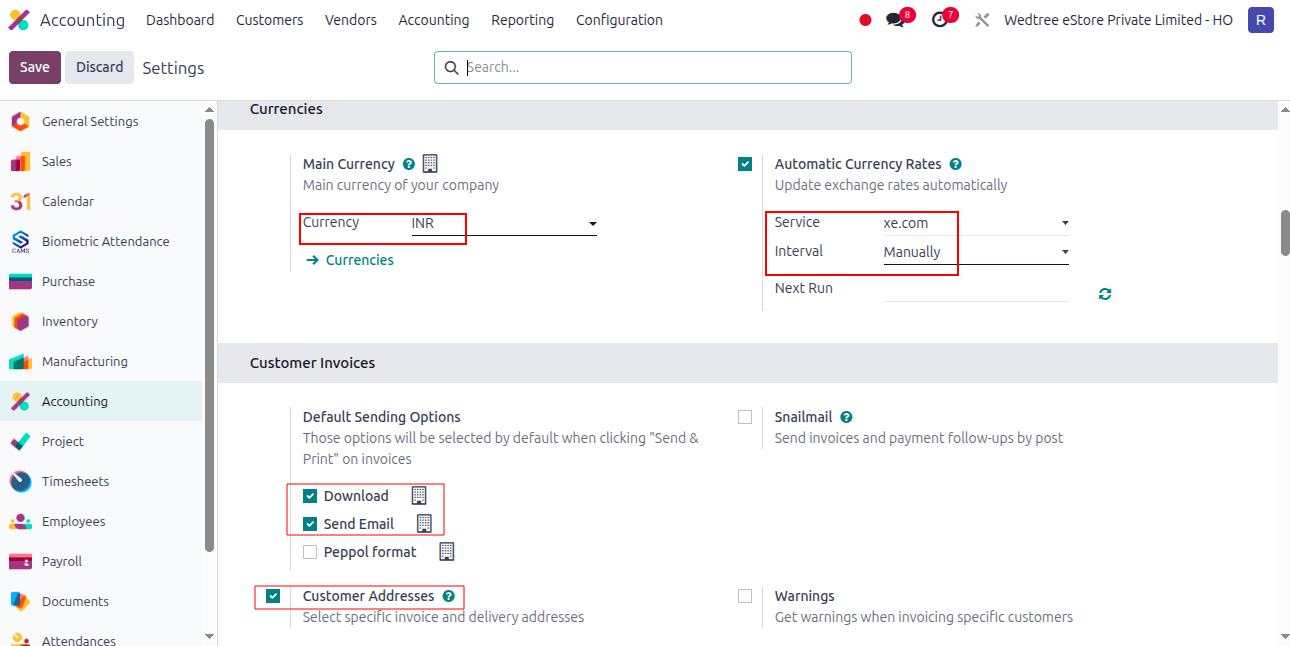
Main Currency is INR and Automatic Currency Rates is enabled.
Default sending options are enabled for Customer Invoices.
Customer Addresses is enabled.
Total amount of Invoice in Letters, Indian Electronic Invoicing, Indian Electronic Waybill is enabled.
Batch Payments is enabled for Customer Payments.
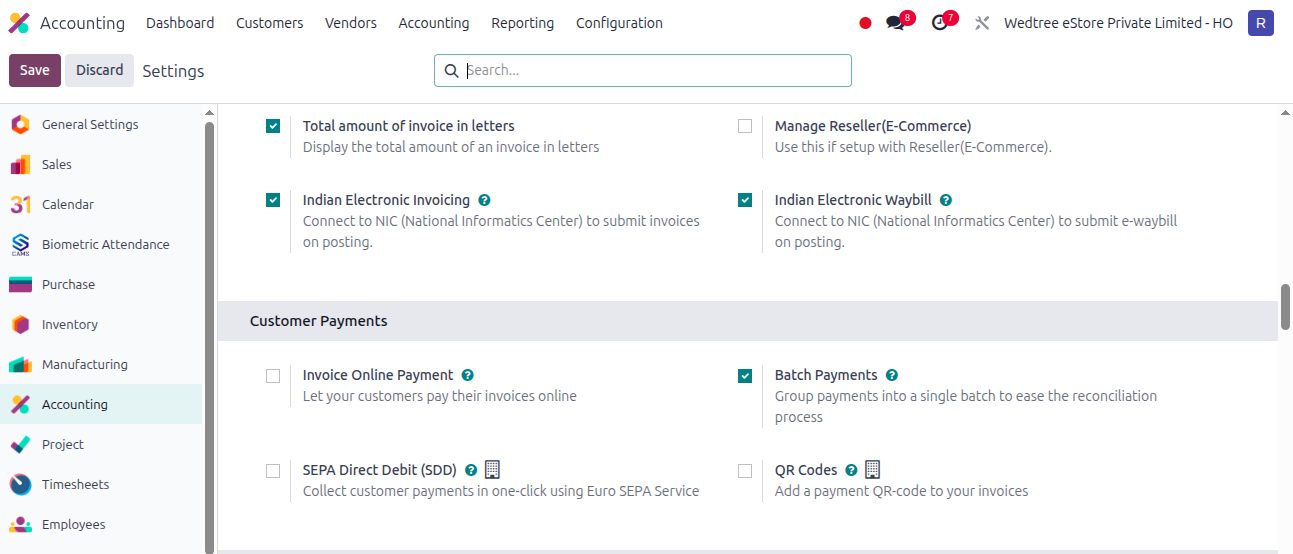
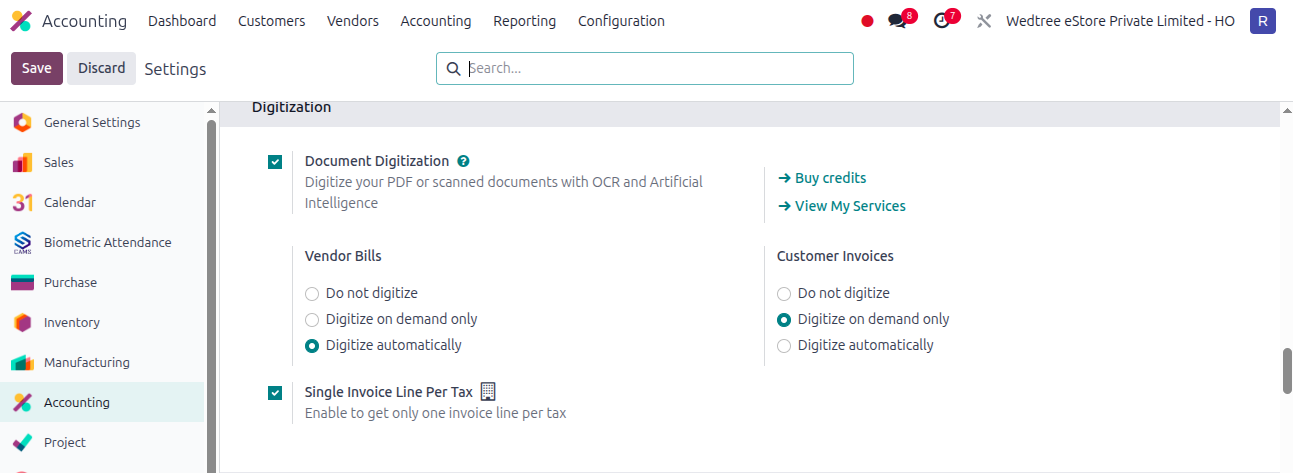
In Digitization, default settings are enabled.
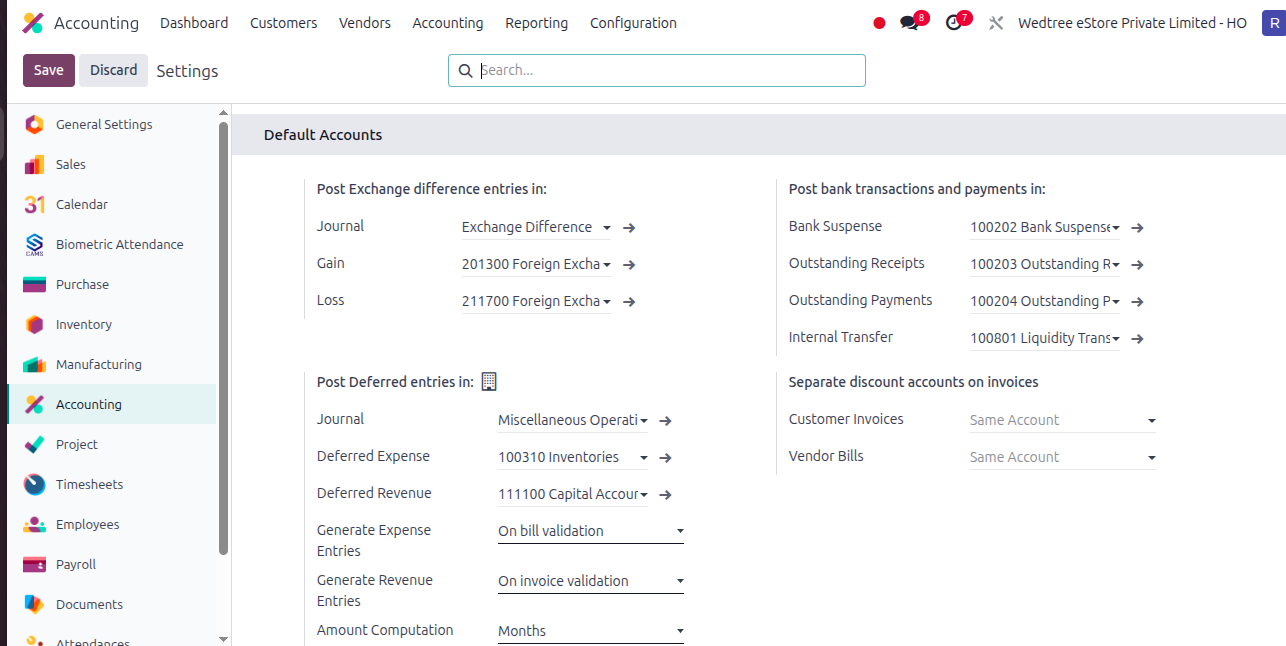
In Default Accounts, default settings are selected.
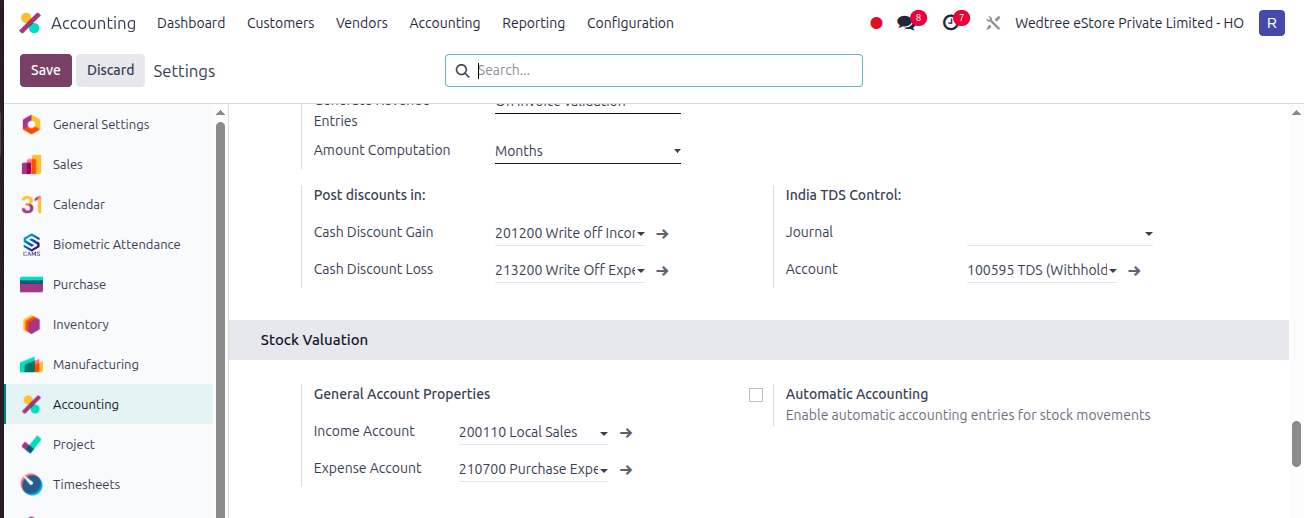
In Stock Valuation, default Accounts are selected.
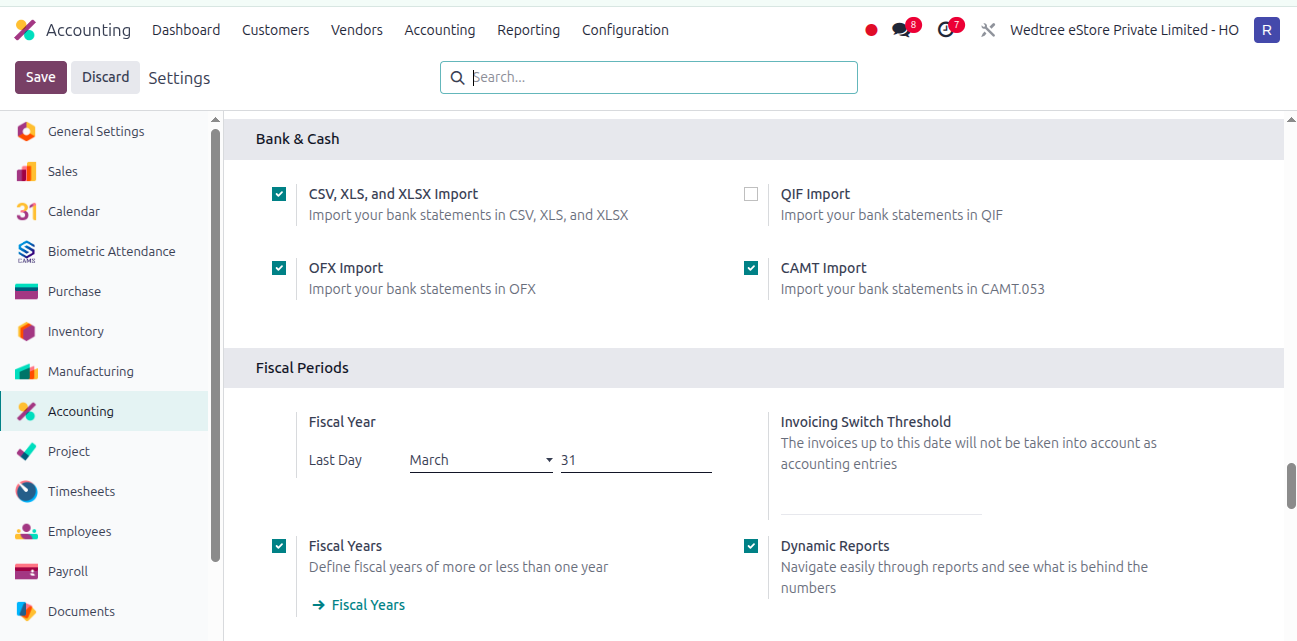
For Bank & Cash and Fiscal Years, default is selected with Last Day of Fiscal Year set as March 31.
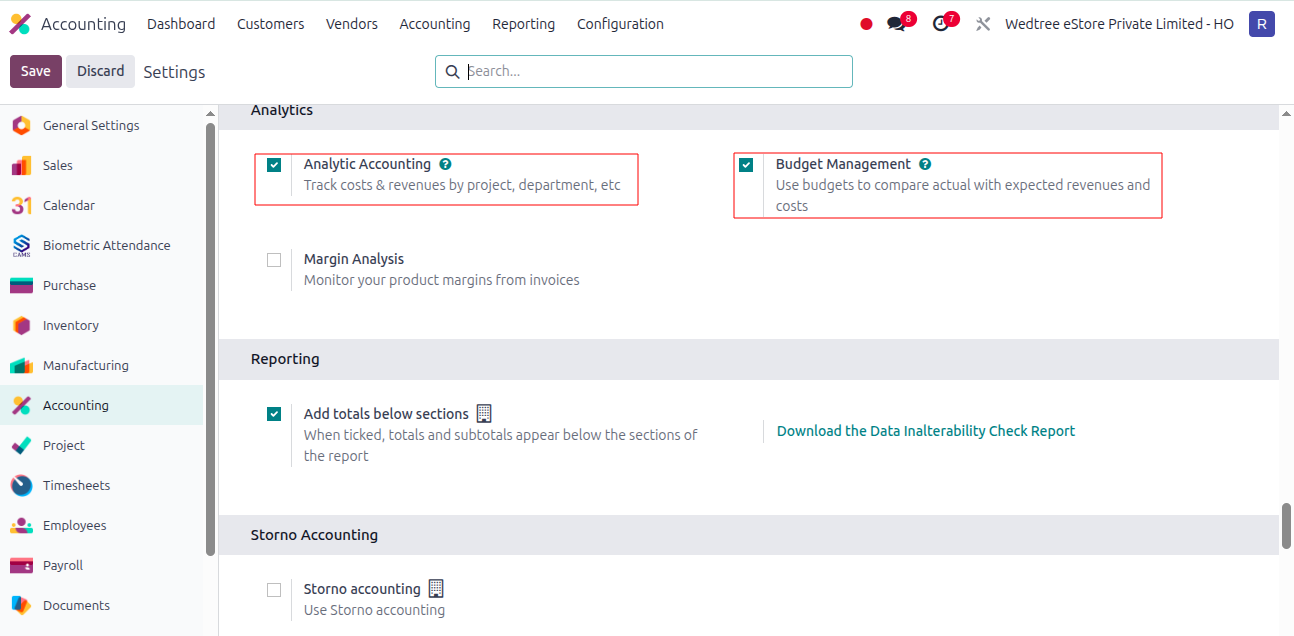
In Analytics, Analytic Accounting and Budget Management is enabled.
In Reporting, Add totals below sections is enabled.
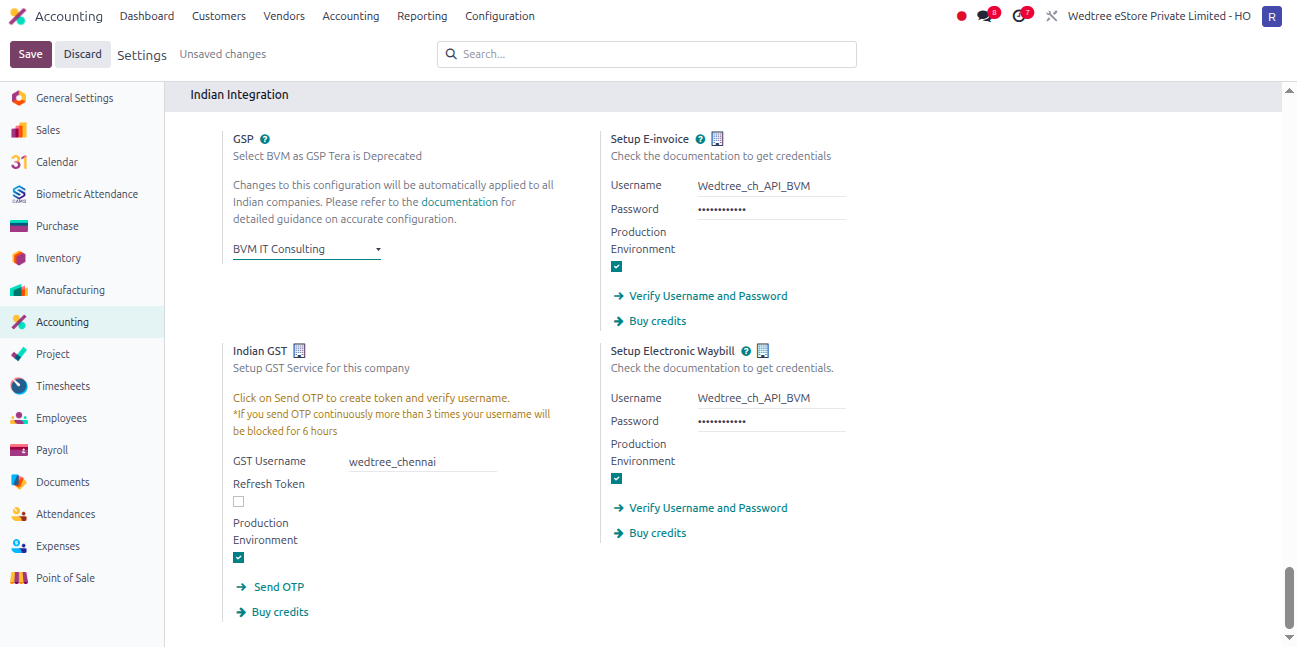
In Indian Integration, GSP is selected as BVM IT Consulting User Name and Password for setting up E-Way Invoice and E-Way Bill is set.