Employee Daily Status
About
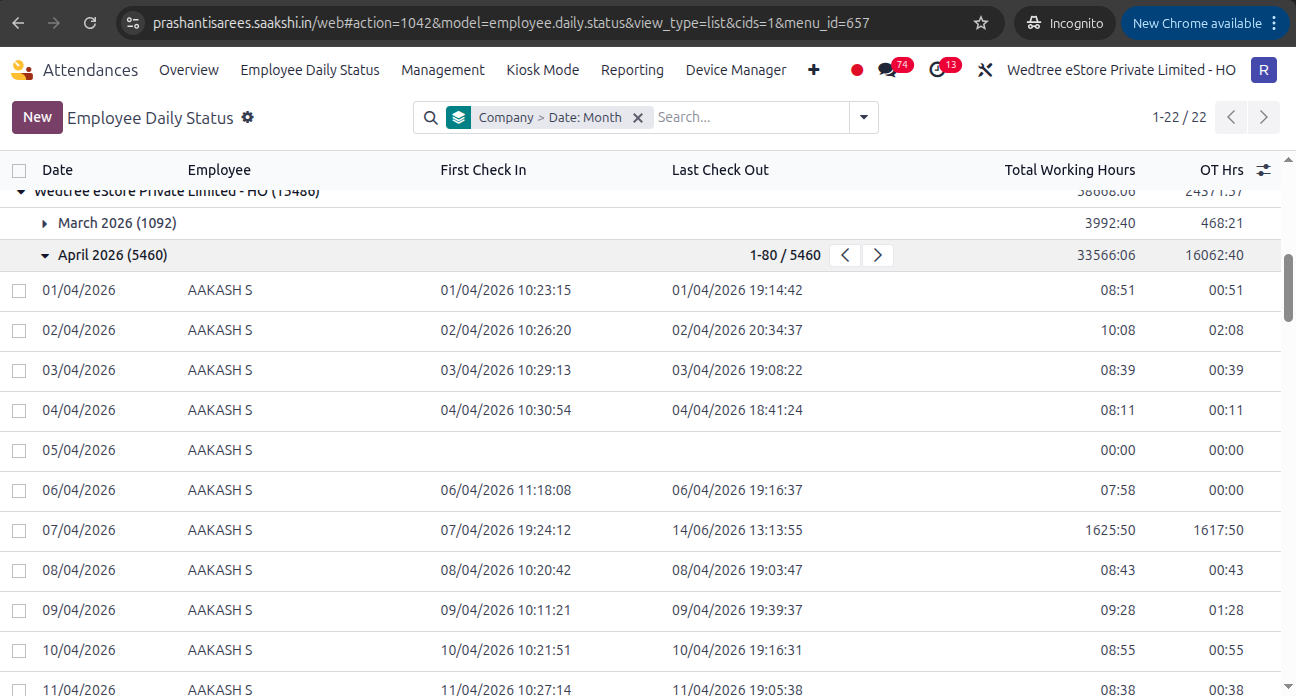
Displays the daily attendance status of employees, including check-in, check-out, working hours, attendance status (Present, Absent, Leave, Half Day, etc.), overtime, late arrival, and related attendance information for a selected date. It helps HR and managers monitor and review employees’ daily attendance records.
List View
Form View
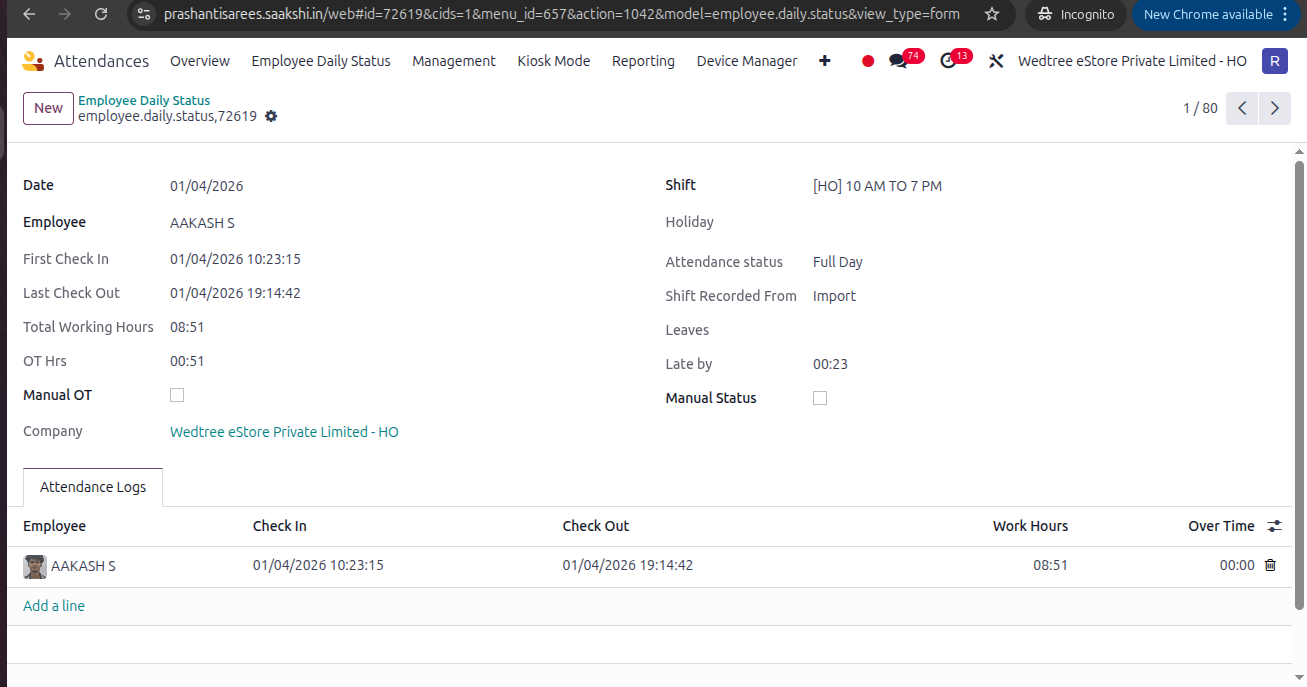
Features of Employee Daily Status:
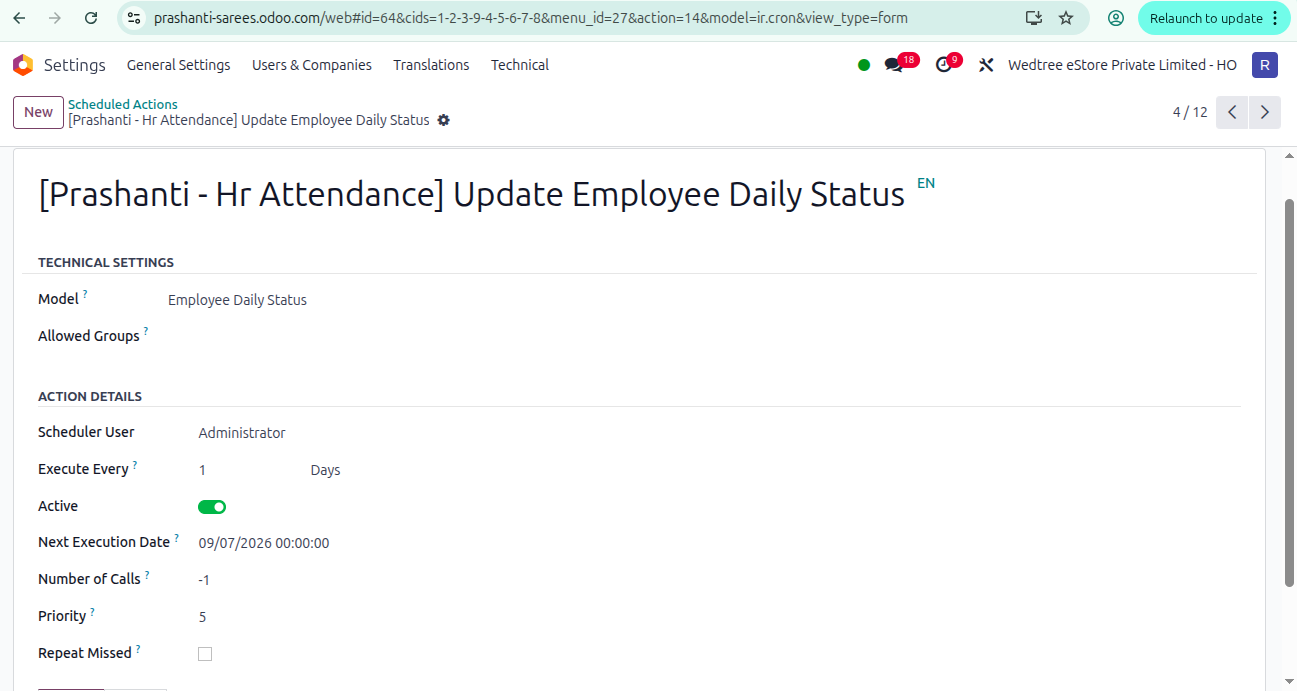
A Cron Job ([Prashanti - Hr Attendance] Update Employee Daily Status) runs everyday and this gives daily status report of an Employee.
We can monitor the following datas:
First Check-In date and time.
Last Check-Out date and time.
Total Working Hours.
OT hours.
Shift in a particular day.
Holiday if any on that day.
Attendance Status: Half day, Full Day, Absent, Leave.
Shift Recorded from (Contract, Import, Manual, Attendance Log)
Leaves (CL or PL)
Late By hours.
Manual Status to change manually.
Manual OT to change manually any OT time for any employee.
Demo Video for Employee Daily Status:
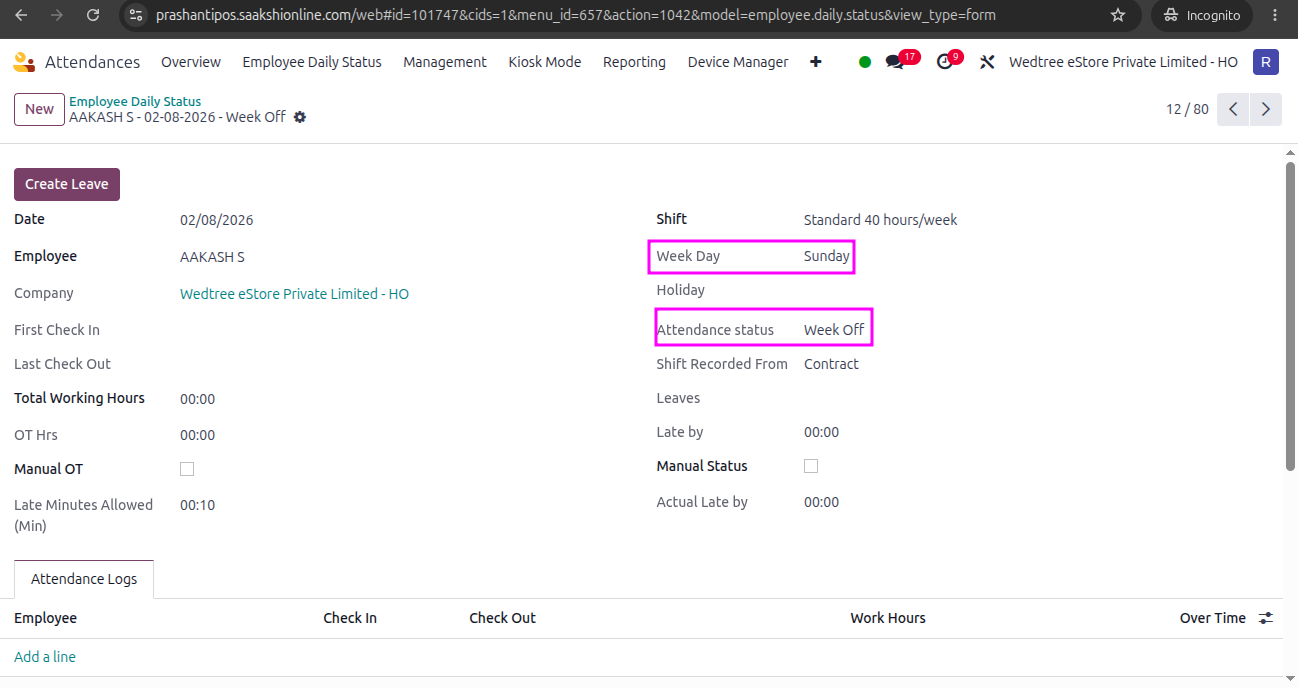
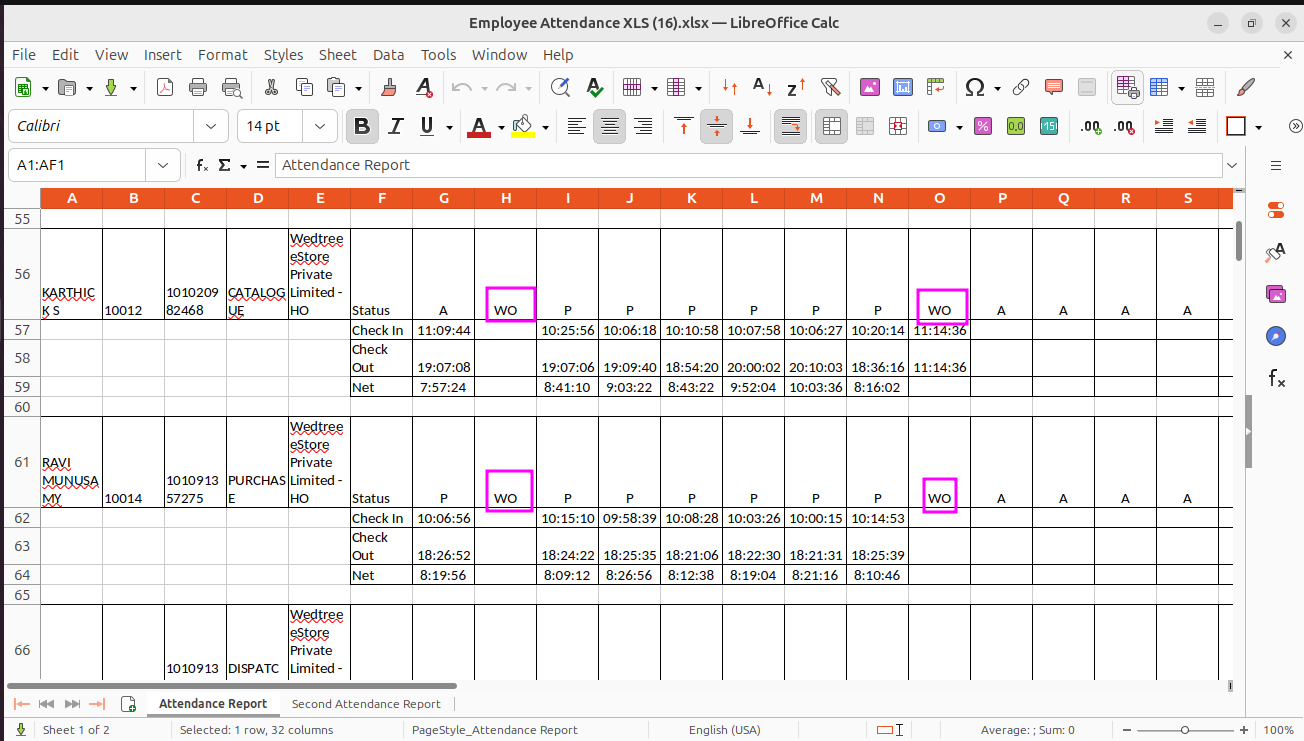
Mapping Sunday as Week Off for WEPL HO and WLPL CPI:
A new field called Week Day is added to map Sunday as the Week Off for HO and CPI. For this, Week Off Day field is introduced in Working Schedules and configured Sunday as Week Off. When the Week Day comes as Sunday in Employee Daily Status, it should automatically set as Week Off in Attendance Status which in turn prints as WO in Employee Attendance Report.